1. Internet Access
- Stable internet connection (WiFi or 4G recommended)
- Minimum upload speed: 2 Mbps
2. Devices
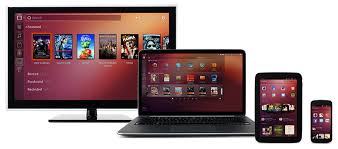
| Use Case | Recommended Device |
|---|---|
| Order creation | Smartphone, Tablet, or Computer |
| Label scanning | Smartphone (camera) or barcode scanner |
| Admin dashboard | Desktop or Laptop with browser |
3. Label Printing (Zebra Stickers)

| Requirement | Details |
|---|---|
| Label Printer | Zebra-compatible thermal printer (e.g., ZD220, ZD420) |
| Connection | USB, Network (LAN), or Bluetooth |
| Label Format | ZPL (Zebra Programming Language) |
| Label Size | 4 x 2 inches (adjustable) |
| Label Type | Direct thermal or thermal transfer labels |
4. Labels
- Thermal label rolls compatible with Zebra printers
- Adhesive suitable for cold storage/moisture
5. Barcode Scanners (Optional)
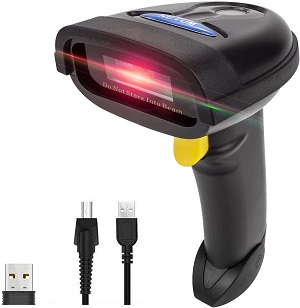
| Option | Notes |
|---|---|
| Smartphone camera | Supports scanning from web browser |
| Handheld USB/Bluetooth | Ideal for fast scanning in packhouse |
| 2D Scanner | Preferred for QR and barcodes |
| Examples | Zebra DS2208, Honeywell Voyager |
6. Power Backup (Recommended)
- UPS for printers and routers
- Power banks for mobile devices
7. Optional Hardware Enhancements
| Hardware | Purpose |
|---|---|
| Tablet mount/stand | Stabilize scanning workflow |
| Touchscreen monitor | Improve warehouse station UX |
| Box weighing scale | Optional if integrated |
8. Summary Table
| Hardware | Required | Notes |
|---|---|---|
| Zebra Label Printer | Yes | ZPL-compatible |
| Thermal Label Rolls | Yes | 4x2 inch (standard) |
| Smartphone / PC | Yes | For tracking and scanning |
| Barcode Scanner | Optional | USB/Bluetooth or mobile camera |
| Internet Connection | Yes | WiFi or stable 4G |
| Power Backup (UPS) | Optional | Recommended |
For questions or support, contact your AgriFleet administrator or the implementation partner.